
Biometric & Facial Attendance System for Offices, Hospitals and Factories
DeskViu biometric and facial attendance is the attendance-capture side of DeskViu HRMS. It records punches from biometric thumb (fingerprint) devices, from your existing CCTV cameras and from dedicated AI cameras that recognise employees by face, and writes them straight into attendance, shifts and payroll.
What's inside
- Three ways to capture attendance
- Accuracy and control
- Connected to the rest of HR
Choose how employees clock in
Pick the method that fits each site. Every method feeds the same attendance record.
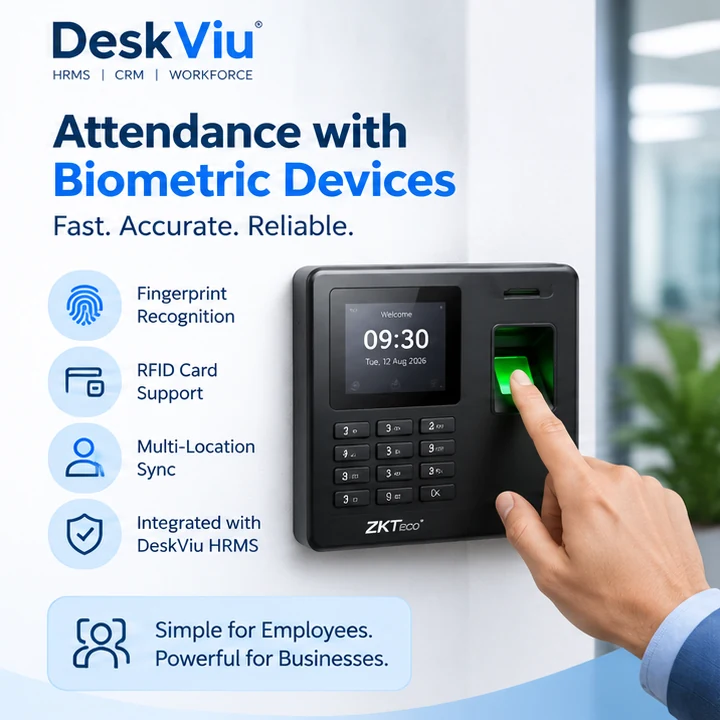
Biometric thumb devices
Fingerprint and RFID card devices at the door, synced across locations and integrated with DeskViu HRMS.
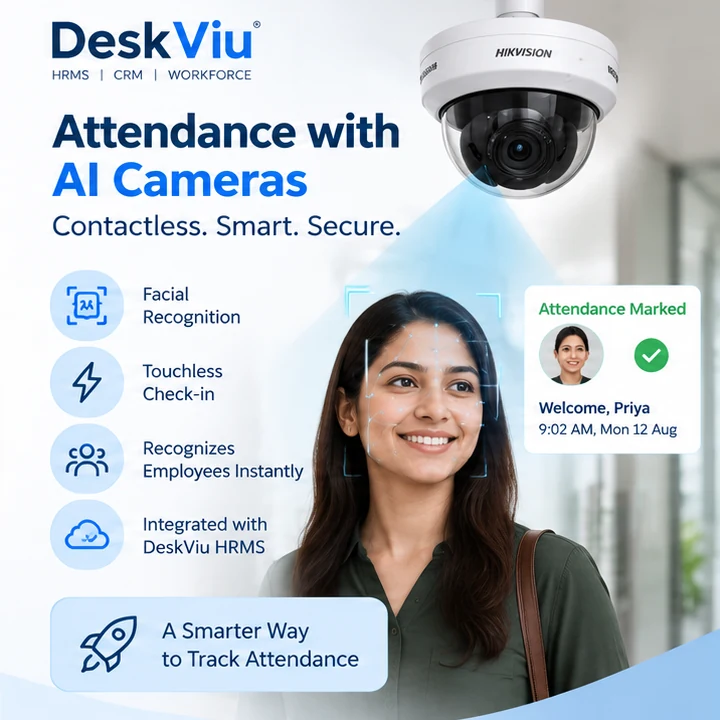
AI cameras
Dedicated face-recognition cameras at gates and entrances for contactless, touchless check-in.
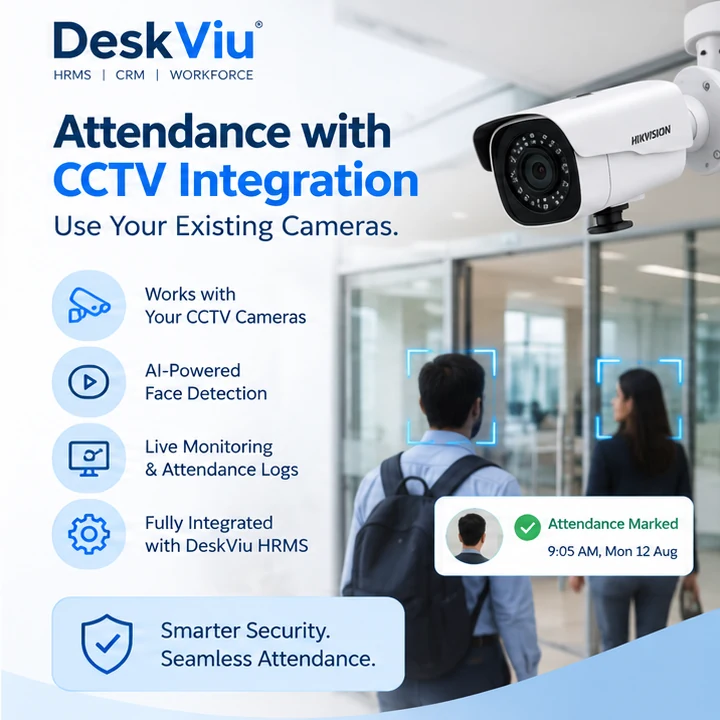
CCTV integration
Recognise employees through the CCTV cameras you already have. No rip-and-replace.
How every punch becomes attendance
Three ways to capture the punch, one attendance record that shifts and payroll read.
Biometric thumb devices
Fingerprint punches at the door, synced across locations.
Your existing CCTV
Face recognition through the IP cameras you already have.
AI cameras
Dedicated face-recognition cameras at gates and entrances.
DeskViu records the punch
- Face recognition: liveness check blocks photo and screen replays
- Face recognition: configurable confidence threshold
- Every clock-in and clock-out kept in an audit log
The punch flows into
Today's attendance · first and last punch
Face match threshold: 90%| Employee | First punch | Last punch | Hours | Method | Status |
|---|---|---|---|---|---|
| Priya Sharma |  09:02 AM 09:02 AM | 06:14 PM | 9h 12m | AI camera · Entrance | Present |
| Rahul Verma | 09:05 AM | 06:31 PM | 9h 26m | CCTV · Main gate | Present |
| Aisha Khan | 08:58 AM | 05:47 PM | 8h 49m | Thumb device · Reception | Present |
| Daniel Okafor | 09:10 AM | 06:02 PM | 8h 52m | Thumb device · Warehouse | Present |
- Present
Priya Sharma
AI camera · Entrance
First punch
09:02 AMLast punch
06:14 PMHours worked 9h 12m
- Present
Rahul Verma
CCTV · Main gate
First punch
09:05 AMLast punch
06:31 PMHours worked 9h 26m
- Present
Aisha Khan
Thumb device · Reception
First punch
08:58 AMLast punch
05:47 PMHours worked 8h 49m
- Present
Daniel Okafor
Thumb device · Warehouse
First punch
09:10 AMLast punch
06:02 PMHours worked 8h 52m
Illustrative screen. Names, times, hours and faces are examples, and layouts vary by configuration.
Everything included
Features are grouped by plan: Starter covers the basics, Growth adds the advanced tools, and Enterprise adds the rest. See the rate card for what each plan includes.
Three ways to capture attendance
Choose per location; every method feeds the same attendance records.
- Biometric thumb devices: fingerprint punches at the door, synced across locations
- CCTV-based: recognise employees through your existing IP cameras, no rip-and-replace
- AI camera-based: dedicated face-recognition cameras at gates and entrances for busy entry points
- Schools and colleges: a facial attendance capture mobile app on Android
Accuracy and control
Built to stop buddy-punching, not just to be convenient.
- Face recognition includes a liveness check and anti-spoofing that block photo and screen replays
- Configurable recognition confidence threshold for face recognition
- Full audit log of every clock-in and clock-out
Connected to the rest of HR
A punch is only useful if it lands where payroll can use it.
- Punches flow into attendance, shifts and payroll
- Works with DeskViu leave policies and shift rosters
- Face-recognition methods are fully contactless, which suits hygiene-sensitive sites
Where it fits
- Hospitals and clinics where contactless entry matters
- Factories, warehouses and sites with busy gates
- Offices that already have CCTV and want to reuse it
- Multi-location businesses that want one attendance record across sites
- Schools and colleges capturing attendance by face on a mobile app
Frequently asked questions
Does DeskViu support fingerprint attendance machines?
Yes. DeskViu supports biometric thumb (fingerprint) devices alongside CCTV and AI cameras. Punches from all of them go into the same attendance record and on to shifts and payroll.
What is facial attendance?
Facial attendance identifies an employee by their face to record clock-in and clock-out, instead of a card, fingerprint or manual register. It is contactless and prevents one person punching in for another.
Can DeskViu use my existing CCTV cameras for attendance?
Yes. The CCTV-based option recognises employees through your existing IP cameras, so you do not need to replace hardware.
How does DeskViu prevent photo or video spoofing?
Face recognition runs a liveness check and anti-spoofing to block photo and screen replays, and DeskViu keeps an audit log of every clock-in and clock-out.
Can employees clock in from a phone or browser?
No. For company employees, attendance is captured by biometric thumb devices, CCTV cameras or dedicated AI cameras at your site, not by personal phone or browser check-in.
Is there a mobile app for facial attendance?
Yes, for schools and colleges. DeskViu offers a facial attendance capture mobile app on Android. Company workplaces use thumb devices, CCTV and AI cameras.
Do I need special hardware?
Yes. Attendance is captured by hardware at your site: biometric thumb devices, your existing CCTV cameras, or dedicated AI cameras. Schools and colleges can use the mobile capture app instead.
Does biometric and facial attendance cost extra?
It is part of DeskViu HRMS plans. Any camera or device hardware you choose to add is separate.
See the HRMS rate card →See it working with your own data
14-day free trial, no credit card. Or open the live demo accounts and click around first.